Chess Online & Offline
- 4.7
- Rating
- 10.00M
- Installs
- Free
- Price

 Analysis by App-foxy
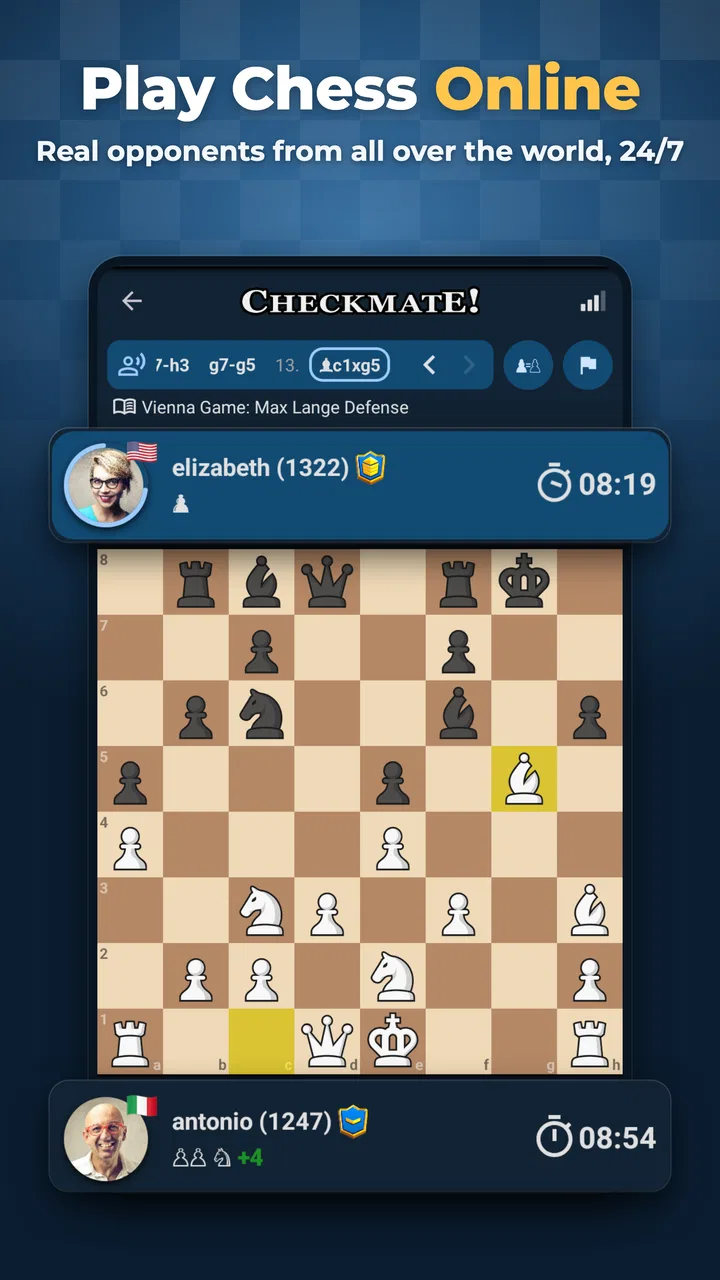
I approached Chess Online & Offline as the kind of chess game you open for a quick match, then keep installed because it fits both casual practice and more serious play. It is a board game from Splend Apps, available for free, with an Everyone age rating and support for Android 7.0 or later. The central appeal is straightforward: you can use it to play chess online or continue practicing when you are away from a connection.
That simple promise matters more than it sounds. Many chess apps are built mainly around online competition, while others feel like quiet puzzle boards with little sense of a complete playing environment. This one sits between those uses. I found it most appealing when I wanted a familiar board, a short session and the freedom to decide whether I was playing against another person or focusing on my own improvement.
How the game feels in everyday use
The first thing I noticed is that this is not a chess-themed distraction with a few pieces added on top. The board is the entire experience, so the quality of the app depends on whether moving, thinking and reviewing positions feel comfortable. For a player who already understands the basic rules, that directness is a strength. There is little need to learn a complicated interface before getting to the match.
You May Also Like

 Blood Strike: 2.5 Anniversary
Blood Strike’s Loadouts Turn Every Drop Into a Tactical Gamble
A close look at Blood Strike’s custom loadouts: how fast access to signature weapons reshapes its battle royale rhythm, rewards preparation, and narrows the gap between fights.

 Pandora - Music & Podcasts
Pandora’s Music Is Easy to Start, but Harder to Recover
Pandora’s strength is its low-effort path from a seed to a station. Its weak spot is how much confidence it asks you to place in connection, setup, and quiet recovery.

 8 Ball Pool
 Is Built on Rivalries, Rematches, and Routine
A close look at the rivalries, rematches, shared routines, and unanswered safety questions that turn a quick pool match into a persistent mobile community.

 Samsung Music
’s Quiet Strength Is Playing What You Already Own
Its reach comes less from spectacle than from dependable access to a personal library. That simplicity is both the app’s strongest retention engine and its ceiling.

 AccuWeather: Weather Radar
AccuWeather Review: A Quick, Clear Forecast for Everyday Decisions
For everyday plans, the best forecast is the one you can understand quickly. AccuWeather makes rain timing, radar, and local conditions easy to act on, with a few trade-offs.

 Hill Climb Racing
Why Hill Climb Racing Still Turns Crashes Into One More Run
A tiny car, a bumpy hill and one more upgrade: Hill Climb Racing keeps resurfacing because its simple chaos makes every near-miss feel personal.
More From Our News Desk
View All News


I can imagine using it during a commute, during a break between appointments or at home after dinner. An offline option is especially useful in those moments because chess does not need a constant stream of content to remain interesting. A short game against a computer can fill ten minutes, while a longer session gives you room to work through a difficult position without the pressure of an opponent waiting online.
The game is also suitable for a family situation where one person is learning and another already knows the basics. A beginner can use the board to become comfortable with legal moves, exchanges and check situations, while a stronger player can treat the same app as a portable practice board. I would not describe it as only a beginner title, even though newcomers are likely to find the plain presentation less intimidating than a crowded competitive platform.
Splend Apps has positioned it for a broad audience, and the reception reflects that reach: it holds a 4.8 average from around 361 thousand ratings, with more than 10 million installs. Those figures do not prove that every player will enjoy it, but they do suggest that the app has become a familiar choice for a large number of chess users rather than a niche experiment.
Free access and the role of spending
The game itself is free to install. In-app purchases are listed at $2.99 per item, which gives the spending question a clear starting point without requiring a player to pay before trying the board. I appreciate that arrangement for chess because the basic activity should be easy to test: install it, play several sessions and decide whether the interface suits you before considering an optional purchase.
At the same time, I would not treat a free download as a guarantee that every part of the experience is equally open or that a purchase is unnecessary for every user. The available purchase information tells me the price per item, but not enough to make a confident claim about exactly what each item changes in play. That is an important distinction. I would judge the app first on the quality of its free chess experience and only spend after checking the individual purchase description inside the store.
For a parent choosing a game for a child, the Everyone rating makes the title approachable from an age-classification perspective. Spending still deserves a separate conversation, especially if the device is shared. I would keep purchase approval under the account owner’s control and avoid assuming that a low individual price automatically makes repeated buying harmless. The sensible approach is to use the free version as the main test and regard any paid item as optional convenience rather than part of the chess rules.
Players who dislike in-app purchases on principle may prefer a paid chess program with one clearly defined cost. That alternative can feel easier to budget. On the other hand, someone who wants to try the game before committing may find this free model more comfortable. The trade-off is transparency at the moment of purchase: read what the item does rather than buying based only on the price.
Progress without turning every game into a test
Chess improvement is often slowed by the way people review their own games. After a loss, it is tempting to remember only the final blunder. I found it more useful to treat each offline match as a small experiment. Before starting, choose one focus such as developing pieces quickly, protecting the king or avoiding unnecessary pawn moves. After the game, think back to the first moment when your plan became unclear. That habit produces more useful progress than simply collecting wins.
The offline mode is valuable here because it reduces the social pressure of a live opponent. If I am testing an unfamiliar opening, I would rather make a questionable move against a computer than freeze in an online game where every second feels public. This does not replace human competition, but it creates a low-pressure space for learning the shape of positions before taking the idea into a real match.
A practical routine would be to play one focused game, pause mentally at every capture and ask whether the exchange improves the position. Then play another game with a different goal, such as checking the opponent’s threats before moving. These are small habits, but a portable board makes them easy to repeat. The app is at its best when I use it as a regular practice tool instead of expecting one dramatic session to transform my play.
There is also a useful distinction between progress and performance. A beginner may lose several games while still improving because the pieces are being developed more naturally or because fewer pieces are being left undefended. A competitive player may use the app differently, looking for fast tactical decisions or a convenient place to rehearse positions. In both cases, the value comes from the player’s method, not from assuming that a game result alone explains skill.
The pressure changes when the match is online. A player has to manage the board and the clock of the interaction, not just the position. I would recommend starting with offline games if you are still confusing check, checkmate and stalemate, then moving online once you can make legal moves confidently. That path avoids turning basic rule learning into an unnecessarily stressful public test.
Fairness when playing online
Online chess is only enjoyable when both sides feel that the result came from their decisions. In my view, fairness begins with the board being predictable: the same rules should apply whether I am playing a friend, a stranger or a computer. It also depends on expectations. A casual player should not enter a match assuming it will feel like a tournament, and a strong player should not treat a relaxed game as a substitute for serious rated competition unless the app clearly presents it that way.
I would be careful about interpreting any online result as a complete measure of strength. Connection interruptions, unfamiliar interfaces and different levels of concentration can affect a single game. If a match feels uneven, the useful response is to look at the position and the decisions rather than immediately concluding that the opponent had an unfair advantage. That mindset is healthier and makes the app more useful for learning.
Spending is another part of competitive fairness. The listed purchase price is $2.99 per item, but the available purchase detail does not establish that buying an item improves playing strength or grants a competitive advantage. I therefore would not claim that the game is pay-to-win, nor would I promise the opposite without examining the exact item descriptions. The responsible conclusion is narrower: the presence of purchases alone does not tell us how they affect competition.
For my own use, I would keep competitive judgment separate from cosmetic or convenience decisions. If a purchase changes presentation or removes an annoyance, that is different from a purchase that changes the strength of a position or gives access to an advantage during a match. Before spending, I would verify which category the item belongs to. That small check protects the player from confusing a nicer experience with a fairer one.
Players looking for formal rankings, detailed tournament systems or a large social community may be better served by a dedicated chess platform built around those features. This app makes more sense for someone who wants a straightforward combination of online games and offline practice. It can be part of a chess routine without being the only tool a serious competitor uses.
Where the experience may feel limited
The same simplicity that helps a beginner can feel restrained to an advanced player. If your main goal is deep game analysis, extensive opening preparation or a highly organized competitive ecosystem, a specialist service may offer more depth. I would not install this game expecting it to replace every chess resource on my phone. Its strongest role is as an accessible board for playing and practicing, not necessarily as a complete training academy.
Offline play also has a natural limitation: a computer opponent does not reproduce the habits, surprises and emotional decisions of a human. It is excellent for repetition and for trying ideas without embarrassment, but it cannot fully prepare you for the way a person may choose an awkward defensive move or create practical pressure. I would alternate offline practice with human games rather than relying on only one type of opponent.
Online play brings its own friction. A live match requires attention at the right moment, and a quick game is a poor choice if you are likely to be interrupted. I would use offline mode when my schedule is uncertain and reserve online matches for a period when I can finish properly. That is a small workflow change, but it prevents a useful app from becoming frustrating because the session was started at the wrong time.
The version available is 2.8.7, and the game was released on September 4, 2024. Those details help identify the edition being discussed, but they should not be mistaken for a promise that every device will feel identical. Android support starts with version 7.0, so owners of older phones should check compatibility before planning around it. On a supported device, the more important question is whether the board presentation and match style fit your habits.
What I would check before committing
My first check would be practical rather than technical: can I begin a game quickly, understand whose turn it is and make moves without hesitation? Chess interfaces punish uncertainty. If I spend too much time wondering whether a move registered, the app becomes a distraction from the position. A beginner should play a few quiet offline games before attempting a serious online session, because confidence with the controls matters almost as much as knowledge of the rules.
My second check would concern the balance between convenience and spending. Since the app is free and individual purchases cost $2.99, I would use the free experience long enough to know whether I actually return to it. If I do, I would inspect each item separately and ask whether it changes how I play or merely how the app looks or feels. That keeps the decision based on personal use rather than impulse.
My third check would be about purpose. If I want a chess board for a child learning the moves, a quick offline game during travel or occasional online matches, this title is a sensible candidate. If I need a serious study environment with a carefully structured curriculum, extensive analysis and a deep competitive identity, I would compare it with a dedicated alternative before settling in.
There is no need to choose only one chess tool forever. I can use this game for convenient matches and offline repetition, then use a book, a coach or another service when I need a more specialized explanation. That combination is often more realistic than asking a single mobile app to teach openings, analyze every mistake, organize competition and remain effortless for casual play.
My recommendation after using it
Chess Online & Offline earns my recommendation for players who want an uncomplicated chess game that works across both connected and disconnected moments. Its free entry makes experimentation easy, its Everyone rating keeps the audience broad and its support for older Android versions makes it accessible to many devices. Splend Apps has also reached a substantial audience, with roughly 1.6 thousand written reviews alongside its much larger rating total, which suggests that players have engaged with it beyond a brief download.
I would especially recommend it to a beginner who wants to learn by playing, a casual player who does not want to depend on a connection, or an intermediate player looking for a portable board for repeated practice. The most effective approach is to give each session a purpose: test one habit offline, review the critical moment mentally and then take the improved idea into an online game when you have enough time to concentrate.
I would skip it, or at least compare it carefully, if my priority were a full tournament community, advanced analysis or a single upfront purchase with no optional items. I would also avoid judging it as a serious competitive platform until I had confirmed how its online systems match my expectations. The purchase information supports a cautious, fair conclusion: the game is free to start, paid items are offered at $2.99 each, and I should inspect what I am buying instead of assuming either a problem or a benefit.
My final view is positive but measured. This is a useful chess companion because it respects the basic reason people play on mobile: they want a board ready when they are. It does not need exaggerated promises to be worthwhile. If you want approachable online and offline chess, install it, play without spending first and build a routine around the mode that suits your day. If you need a specialized training or tournament environment, let this be a convenient extra rather than your entire chess setup.
FAQs for Chess Online & Offline
01What are the main features of Chess Online & Offline?
Chess Online & Offline offers users the flexibility to play chess both with AI and real opponents. The app includes various difficulty levels, multiplayer modes, and a built-in chat feature. It also offers tutorials for beginners, puzzles to enhance skills, and customizable boards and pieces to personalize the gaming experience.
02Is Chess Online & Offline suitable for beginners?
Yes, the app is designed to cater to players of all skill levels, including beginners. It features an intuitive interface, step-by-step tutorials, and adjustable difficulty levels. Beginners can start with the basics and gradually advance as their skills improve. The app’s hints and tips further aid in learning the game.
03Does the app require an internet connection to play?
Chess Online & Offline can be played without an internet connection when engaging in offline modes against the AI. However, to access online multiplayer modes and compete with friends or players worldwide, an internet connection is required. This flexibility makes it convenient for users to play anytime, anywhere.
04Are there in-app purchases within Chess Online & Offline?
Yes, while the app is free to download and offers numerous features at no cost, there are optional in-app purchases available. These may include premium themes, additional puzzles, or advanced AI modes. These purchases are not necessary for basic gameplay but can enhance the overall experience.
05How does the app ensure a fair play environment in online matches?
The app uses advanced algorithms to match players of similar skill levels, ensuring balanced and fair gameplay. It also employs anti-cheating measures to detect and prevent unfair practices. Users can report suspicious activity, and the app’s support team is proactive in maintaining a respectful gaming community.
Pros
- Play with friends or AI anytime.
- Multiple difficulty levels for all players.
- Smooth and intuitive user interface.
- Offline mode for uninterrupted play.
- Track your progress with detailed stats.
Cons
- Limited board customization options.
- Ads can interrupt gameplay experience.
- Requires account for online features.
- Occasional lag in multiplayer mode.
- No tutorial for complete beginners.

Chess Online & Offline
Gallery